
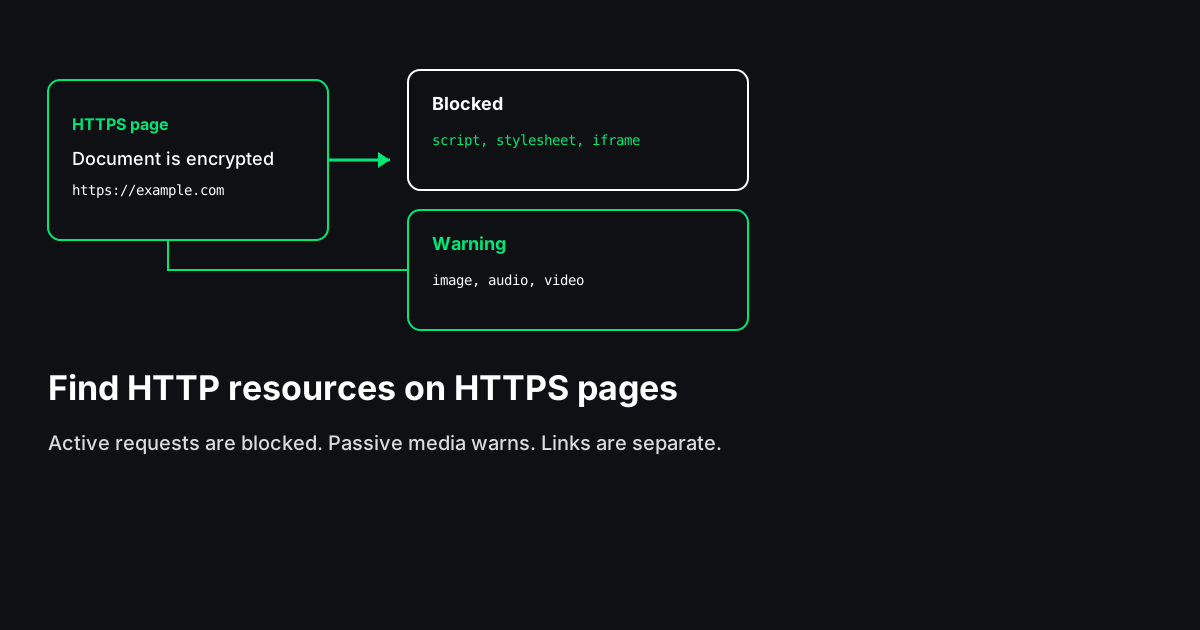
An HTTPS page that still requests something over HTTP is serving mixed content. The document is encrypted. The subresource is not. Browsers treat that split differently depending on what the subresource is. Scripts, stylesheets, iframes, and fonts get blocked. Images, audio, and video usually still load, with a warning. A plain link to an HTTP URL is a navigation, not mixed content.
This guide covers those categories, where the URLs hide in HTML and CSS, and how to fix them. The Mixed Content Checker lists what is in the server HTML. It does not replace the browser console for anything a script inserts later.
What mixed content is
Mixed content happens only when the page is HTTPS and a subresource is HTTP. If the page itself is HTTP, there is nothing to mix: the whole document is already insecure. The usual cause is a move to HTTPS that left embedded URLs alone. A template, a CMS field, or a third-party snippet still contains http://.
MDN's mixed content guide splits subresources into two groups. Active mixed content can change the page: scripts, stylesheets, iframes, objects, fetches, and fonts. Passive mixed content is what the page displays: images, audio, and video. Chrome's mixed content article uses the same split. Active requests are blocked. Passive requests are allowed with a warning, and current browsers may upgrade some of them to HTTPS on their own. Do not treat that upgrade as the fix. A host that does not serve the file over HTTPS still fails, and you will have a harder time seeing the original URL.
The URL that matters is the one the browser requests, not the one you remember typing into a preview. A root-relative path such as /js/app.js inherits the page scheme, so it stays HTTPS on an HTTPS page. A scheme-relative URL (//cdn.example/app.js) also inherits the page scheme. A literal http:// does not.
Active mixed content
Active mixed content is blocked because the insecure response could change the HTTPS page.
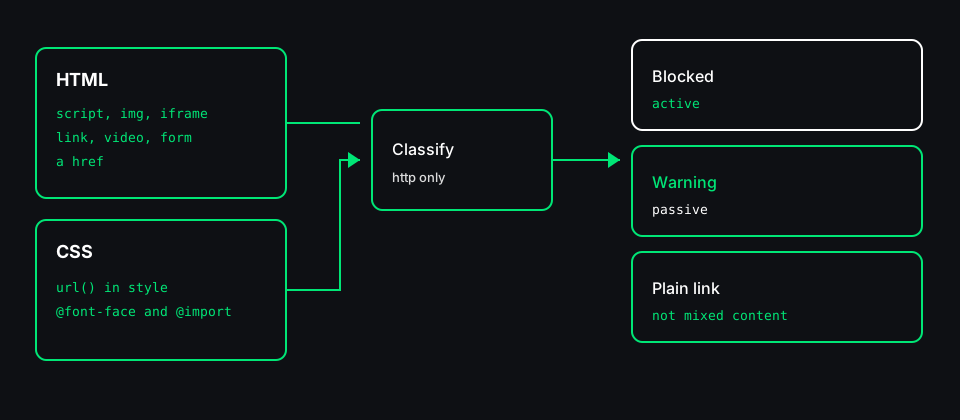
You will usually find it in:
<script src="http://..."><link rel="stylesheet" href="http://..."><iframe src="http://..."><object data="http://...">and<embed src="http://...">- an
@importof an HTTP stylesheet - an
@font-facefile requested over HTTP fetch,XMLHttpRequest, and WebSocket URLs written in JavaScript
A static HTML check will not see the JavaScript cases. A blocked script does not run. A blocked stylesheet does not apply. A blocked iframe stays empty. A blocked font falls back to another family. The page can look almost fine while a checkout script or a layout sheet never arrived. That is why active URLs come before images.
A form action that posts to HTTP sits in the same family. An HTTPS page that submits to http:// is either upgraded by the browser or fails. Point the action at HTTPS, or omit it so the form posts to the current page.
Passive mixed content
Passive mixed content is an image, an audio file, or a video requested over HTTP.
Typical markup:
<img src>andsrcset<video>,<audio>, and<source>- a video
poster - icons (
rel="icon", apple touch icons) - CSS
url()used for backgrounds, bullets, and borders
Browsers have loaded these and printed a warning. The lock in the address bar can drop even though the HTML document is HTTPS. On a hostile network the image can still be swapped, which matters when the image is a control rather than decoration. Treat passive URLs as real work. Do them after the blocked scripts and stylesheets, not instead of them.
What is not mixed content
An <a href="http://..."> is not mixed content. Following it navigates to another page. The browser does not block the click as a mixed-content subresource. You may still want to update links on your own host so you do not send people to an insecure URL. Keep that list separate from blocked scripts. A page full of old links is not the same ticket as a page whose stylesheet is blocked.
Canonical tags, sitemap locations, and Open Graph URLs that use HTTP are also not mixed content. They are the wrong scheme for other reasons. Fix them with a canonical or social-tag check. Do not file them as blocked subresources.
Where the URL hides
View source is enough on a hand-written page. It is a weak inventory once a theme, a page builder, and a tag manager are all in play.
Work in this order:
- Attributes in the HTML:
src,srcset, stylesheet and iconhref,poster, objectdata, formaction. - CSS `url()` inside
<style>blocks andstyleattributes. - Stylesheets on your own origin. A clean HTML file can still pull
http://images from/app.css. Open that file, or use a checker that fetches a capped number of same-origin sheets. A stylesheet on another host is not inside the HTML. If thelinkpoints at a third party, open that URL yourself. - The network log after JavaScript runs. A lazy-load attribute such as
data-srcis not a request until a script copies it intosrc. Tag managers inject scripts the same way.
If the console reports mixed content and the server HTML is clean, a script added the request. The HTML check is looking at a different layer. It is not a contradiction.
How to fix it
Rewrite the URL. That is the fix. Policies and headers are a backstop.
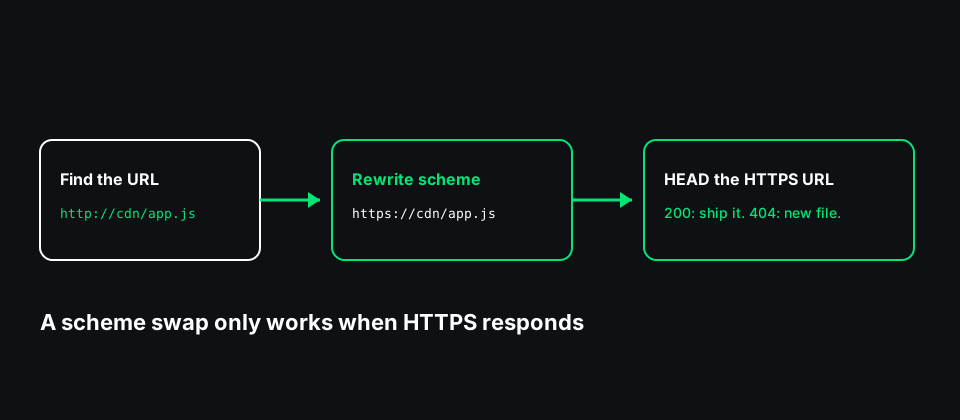
Same host. Change http://example.com/app.js to https://example.com/app.js, or to a root-relative /app.js so the page scheme is reused. Then request the HTTPS URL. A 404 means the file was never deployed on the TLS host. Editing the scheme in the template will not create the file.
Images on a CDN. Some CDNs serve the same object on HTTPS. Some old buckets do not. If HTTPS returns a successful status, update the template or the media library. If it does not, re-upload or change the CDN host. Leaving the HTTP URL because the image "still shows" keeps the page on mixed content.
Third-party widgets. A script URL that starts with http:// is active mixed content and will be blocked. If the vendor publishes an HTTPS URL, use that. If they do not, remove the widget. There is no safe way to execute an HTTP script inside an HTTPS page.
Fonts. An @font-face source over HTTP is blocked. Host the font files on your HTTPS origin, or use the vendor's HTTPS stylesheet. Read the CSS file, not only the HTML. Themes often hide the font URL in a compiled sheet.
Scheme-relative URLs. //cdn.example/app.js is not mixed content on an HTTPS page, because the browser requests HTTPS. It is still a weak habit. It hides the scheme from the next person who reads the template. Prefer https://.
Content-Security-Policy. `upgrade-insecure-requests` tells the browser to fetch those HTTP URLs as HTTPS instead. It helps while you clean templates. It does not repair a missing file. If the HTTPS URL 404s, the request fails, and the network log no longer shows the HTTP URL you needed to find. Turn the policy on after you know the HTTPS copies exist, or while you are still hunting and you accept that masking. block-all-mixed-content is the older directive that also blocks passive content. Reach for upgrade first.
HSTS. Strict-Transport-Security tells browsers to use HTTPS on later visits to your host. It does not rewrite an http:// URL on a different host. Set it once your host redirects HTTP to HTTPS and you are not intentionally serving the site in cleartext. MDN documents the header.
A workable order
- Open the page over HTTPS and read the console. Note whether the message says the request was blocked or only warned.
- List the URLs in the server HTML, including CSS
url()and same-origin stylesheets. - Rewrite active URLs first: scripts, stylesheets, iframes, objects, fonts, and form actions.
- Request the HTTPS version before you ship the rewrite. A successful status is a candidate. A 404 needs a new file, not a new scheme.
- Rewrite images, video, and audio.
- Update
http://links on your own host while you are in the template. Keep them on a separate list. - Add
upgrade-insecure-requestsonly as a backstop, reload, and confirm the console is quiet. - Check again after the next theme or plugin update. Mixed content often comes back as a hardcoded URL in an update.
Limits of an HTML fetch
A fetch of the HTML cannot see tags inserted by JavaScript, URLs that sit in data-src until a script promotes them, or CSS on another origin. It cannot see the logged-in page if the anonymous response is a wall. It cannot promise that a browser's automatic upgrade would succeed.
Use the Mixed Content Checker to build the list from server HTML. Use the browser to confirm the page after scripts run. Certificate details belong in an SSL check. Content-Security-Policy and HSTS belong in a response-header check. Mixed content is the URL inside the page. Those other checks are the TLS and header layer around it.