
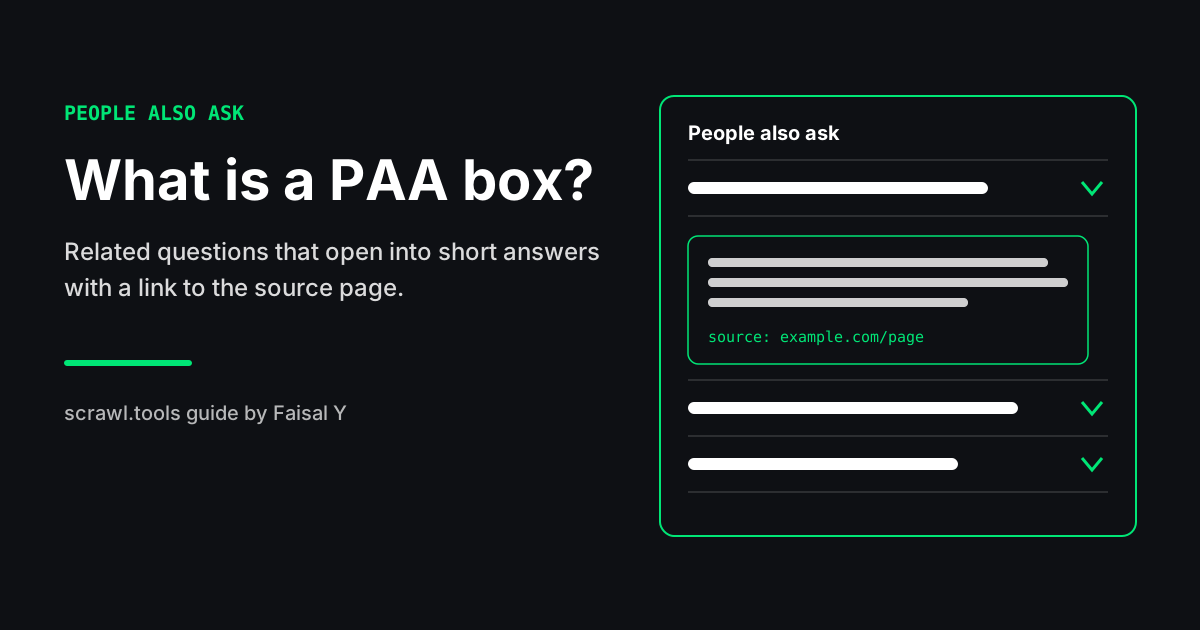
A PAA box is Google's People Also Ask block: a list of questions related to your search, shown as collapsed rows on the results page. Click a question and it opens to a short answer pulled from a web page, with a link to that page. PAA stands for "People Also Ask." SEOs track it because each question shows a sub-topic searchers care about, and each answer is a spot your page can hold.
This guide covers how the box behaves, why it matters for SEO and for AI answers, how to pull the questions for any keyword with the People Also Ask Finder, and how to write sections that have a fair shot at being the answer.
What a PAA box looks like
On a results page, the box usually has a heading ("People also ask") and a few questions stacked as rows. Each row has an arrow. Nothing more is visible until you click.
When you open a row, you get:
- A short answer. Usually a paragraph, a list, or a small table taken from one page.
- The source. The page title and URL the answer came from, as a normal link.
- Sometimes a "Search for" link that runs the question as its own search.
Where the box sits changes by query. It can show near the top, in the middle of the organic results, or lower down. Some searches show no PAA box at all. Navigational searches (a brand name, a login page) rarely get one. Question-style and "how to" searches get one often.
How PAA boxes expand
The part people notice first: opening one question adds more questions to the list. Click "What is a canonical tag?" and two or three new, related questions may appear under the box. Keep clicking and the list keeps growing.
That behavior has a few practical effects:
- The first questions are the ones most searchers see. The extra ones only load after someone clicks.
- The list drifts. The questions added after a click relate to the one you opened, so a long session can wander away from the original keyword.
- What you see is not what everyone sees. Location, language, device, and whether you are signed in can change which questions appear and in what order. The questions also change over time.
So treat any PAA list as a snapshot, not a fixed record.
Why PAA boxes matter for SEO
They show you the questions behind a keyword. A keyword like "canonical tag" doesn't tell you what the searcher wants. The PAA questions do: definitions, comparisons, mistakes, how to check. That is a ready-made outline of the sub-topics you need to cover.
They are a second way onto page one. The answer inside a PAA row links to its source. A page that ranks lower in the organic list can still be the source for one of the questions.
They help you spot a page you're missing. If the same question shows up across many of your target keywords, it probably needs its own page. A question that only shows up once usually fits better as a short section or FAQ entry on an existing page.
They line up with how AI answers are built. AI Overviews and chat-style search tools answer a question by pulling short, direct passages from pages. A section that answers one clear question in its first two sentences is the same kind of passage PAA uses. Writing for one helps with the other. It is not a guarantee for either.
Be realistic about clicks, though. Some searchers read the answer in the box and never visit the page. PAA is useful for visibility and for planning content. It is not a reliable traffic tap on its own.
How to find PAA questions for a keyword
Use the People Also Ask Finder
- Open the People Also Ask Finder. Free, no login.
- Type a keyword. Informational phrasing works best: "what is", "how to", "why does".
- Run it. The tool returns the PAA questions from a logged-out US results snapshot, with the answer snippet and source domain when they are available.
- Use Copy All Questions to paste the list into a brief, or Export CSV to get keyword, question, snippet, and source in a spreadsheet.
If you get no questions back, the keyword may be navigational or commercial, or Google showed no box for that search. Try a broader question version of the same topic.
Check by hand
Search the keyword in a private window, open the first few questions, and write down what appears. Do it again in a week. Questions that keep showing up are the ones worth writing for. Questions that rotate in and out matter less.
Combine the two
Run your main keyword and three or four close variants through the finder. Put all the questions in one sheet, remove duplicates, and group them by theme. You end up with a list of the questions Google keeps tying to your topic.
How to write content that earns a PAA spot
Nobody outside Google can promise a page will be picked. There is no markup or setting that puts a page into PAA. What you control is whether your page has a clean, short, correct answer that is easy to lift out. These habits help:
Use the question as a heading. Put the question, or a close version of it, in an H2 or H3. "What is a soft 404?" is easier to match than "Understanding soft 404s."
Answer in the first one or two sentences. Start with the answer, then explain. Don't open with background or a story. If the heading is "How long does a 301 redirect take to work?", the first sentence should say what you know about timing.
Keep the core answer short. A tight paragraph of two to four sentences is easy to quote. Add detail after it.
Use a list or table when the question asks for one. "How to", "steps to", and "X vs Y" questions are often answered with steps or a comparison table. Match the shape the question calls for.
Answer one question per section. A section that tries to answer three questions at once gives Google nothing clean to quote.
Make sure Google can read it. The answer has to be in the HTML of a page that can be crawled and indexed. Check that the page returns 200, isn't blocked by robots.txt or noindex, and has the right canonical. The Indexability Checker covers those signals in one pass.
Be correct and specific. A vague answer loses to a precise one. If the honest answer is "it depends," say what it depends on.
A note on FAQ markup: adding FAQPage structured data does not put a page into PAA. Google limited FAQ rich results to well-known government and health sites in 2023. FAQ markup still describes your Q&A content correctly, so add it when the page really has an FAQ, but don't add it hoping for a PAA spot.
Worked example
Say you run a site about SEO tooling and want to rank for "canonical tag."
1. Collect questions. You run "canonical tag", "what is a canonical tag" and "canonical url" through the People Also Ask Finder and export the CSV. The questions below are an illustration of the kind you might get. Your own run will differ by date and location:
- What is a canonical tag?
- When should you use a canonical tag?
- Is a canonical tag the same as a redirect?
- What happens if there is no canonical tag?
- How do I check a page's canonical tag?
2. Sort them. "What is a canonical tag?" and "Is a canonical tag the same as a redirect?" show up for every variant, so they become H2s on your main page. "How do I check a page's canonical tag?" is a task, so it gets a short numbered list. The others become FAQ entries.
3. Write answer-first sections. Under "Is a canonical tag the same as a redirect?" the first two sentences carry the whole answer:
No. A redirect sends visitors and crawlers to a different URL, while a canonical tag leaves the page in place and tells search engines which URL you prefer to have indexed.
Then the section explains when to use each.
4. Check and wait. Confirm the page is indexable, publish, then search the questions again over the next few weeks. If a different page holds the answer, compare its first sentences to yours. Usually theirs is shorter or more direct.
Common mistakes
- Writing one long intro before any answer. The answer needs to be near its heading.
- Copying the current PAA answer. You need a better answer, not the same one reworded.
- Chasing every question. Questions that don't fit your page's topic dilute it. Leave them out or give them their own page.
- Treating one check as final. PAA changes. Re-run your key terms every few weeks.
- Expecting FAQ schema to do the work. It describes content. It doesn't earn placement.