
Most migration post-mortems mention content or design. The quiet killer is redirects: a missing 301, a chain left over from three platform changes, or two conflicting rules fighting for the same old path.
This guide is about planning the URL map and writing rules for the stack you run — Apache, Nginx, Cloudflare, Vercel, Next.js, or Netlify. When you already have a spreadsheet of old and new URLs and need deployable syntax with chain checks, use the Redirect Rule Generator. It runs in the browser and flags loops before you paste into production.

Start with the URL map, not the config file
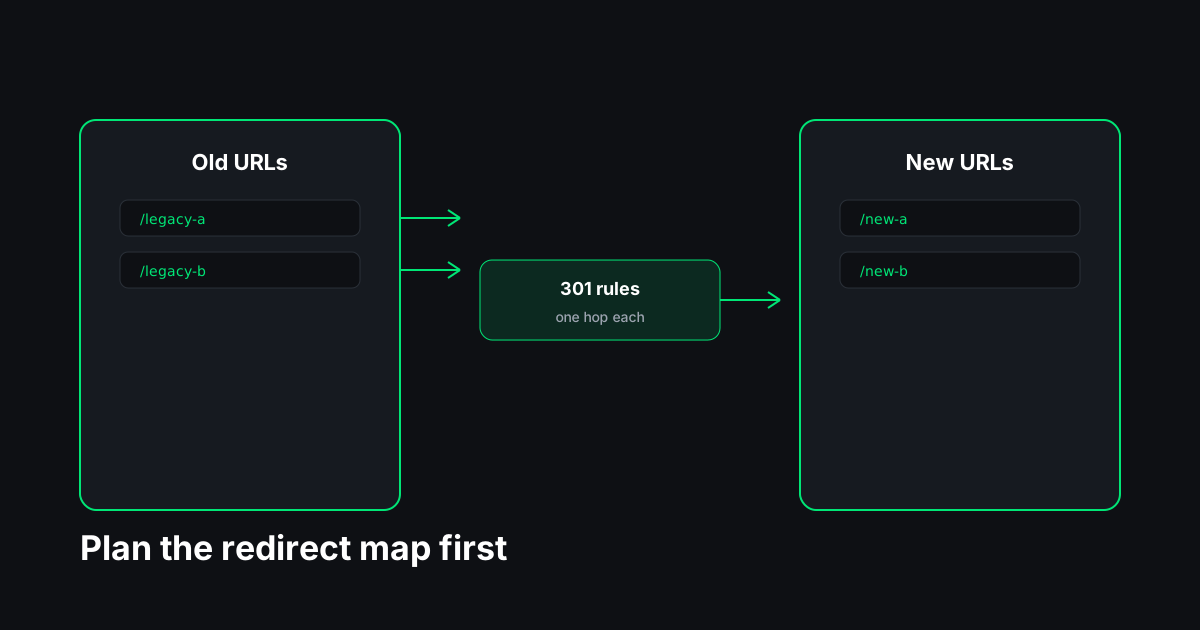
A redirect map is two columns: every old URL that still matters, and exactly one destination that should replace it. "Matters" means organic traffic, backlinks, ads, email links, or internal links from pages you are keeping.
Build the list from more than one source. Export Search Console landing pages, crawl your old sitemap, pull top paths from analytics, and ask client stakeholders for printed URLs. Merge and dedupe. Sort by importance so you fix high-value rows first when something is wrong.
Each row should be one hop in the final world: old path → new path. If your spreadsheet already has A→B and B→C because teams added rules incrementally, compose those mentally to A→C before you write server config. Chains add latency and dilute the signal passed to the destination. Google’s site-move documentation assumes you consolidate to direct redirects where possible.
Avoid the homepage dump. Sending thousands of product URLs to the homepage path looks like a soft 404 to users and a weak relevance signal to search engines. Map like for like when content survives; use a sensible category hub when a section merges; use 410 or removal when content is truly gone.
Choose the status code once per migration
For permanent moves — domain change, HTTPS enforcement, CMS path change — use 301 Moved Permanently or 308 Permanent Redirect. Both tell clients and crawlers the old URL has a new home.
Use 302 or 307 when the old URL might return. Marketing tests and temporary holding pages are the usual cases. Accidentally shipping 302 for a permanent migration leaves some engines treating the old URL as still canonical.
Pick one default for the migration batch. Mixed codes in the same map usually mean someone edited rows by hand without updating the generator.
Apache (.htaccess and httpd.conf)
Apache supports two common patterns.
Redirect directives are easy to read:
Redirect 301 /old-path /new-path
Redirect 301 /legacy https://www.example.com/new-path
RewriteRule is flexible when you need regex, conditions, or www normalization stacked with path rules:
RewriteEngine On
RewriteRule ^old-path/?$ /new-path [R=301,L]
Place rules where they apply: .htaccess in the document root for shared hosting, or inside the relevant <VirtualHost> on dedicated servers. Order matters when multiple RewriteRules overlap — more specific paths before broad patterns.
Watch breadth. A rule meant for /blog/old-slug must not accidentally match /blog/old-slug-archive unless that is intentional. Test edge cases on staging.
Nginx
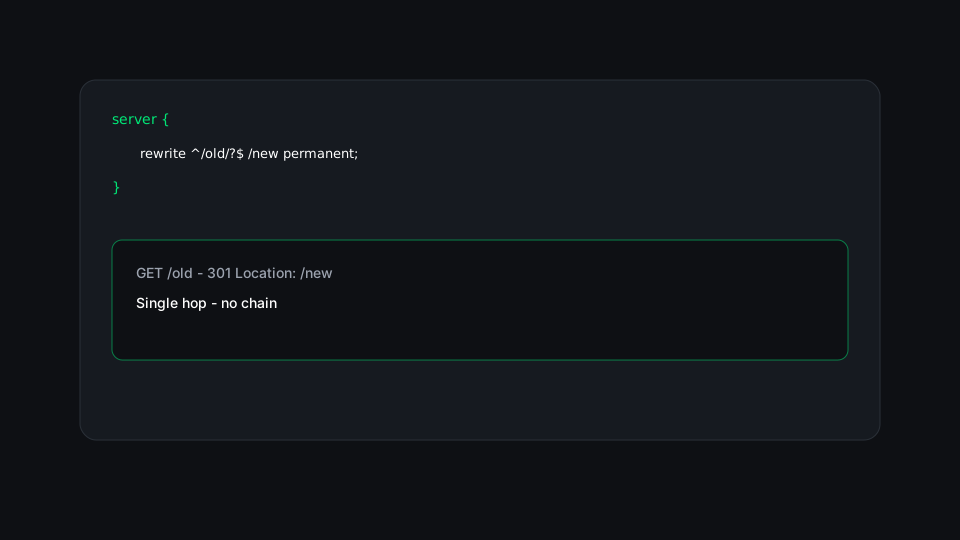
In the server block for the host that receives old traffic:
rewrite ^/old-path/?$ /new-path permanent;For 302, use redirect instead of permanent. For 307/308, return 307 https://example.com/new-path; inside a location = /old-path block is clearer than abusing rewrite.
Reload Nginx after deploy (nginx -t first). A syntax error can refuse reload and leave old config running — know which state you are in before cutover.
Cloudflare
Two products confuse people: Bulk Redirects (CSV upload of source/target pairs) and Redirect Rules (expression-based logic in the dashboard).
Bulk Redirects suit large maps exported from a spreadsheet. Use absolute URLs in the CSV if Cloudflare expects them; path-only entries depend on how the list is scoped to your zone.
Redirect Rules use expressions such as matching http.request.uri.path. They shine when you need host-level logic, but a thousand one-off expressions do not scale — use Bulk Redirects for the map and rules for exceptions.
Always check whether query strings are preserved. Campaign URLs are the first to break when only the path is matched.
Vercel and Next.js
On Vercel, vercel.json at the project root:
{
  "redirects": [
    { "source": "/old", "destination": "/new", "permanent": true }
  ]
}
In Next.js, the same shape lives in next.config.js under async redirects(). Set permanent: true for 301/308 semantics; use statusCode: 307 or 308 when you need those explicitly.
Framework redirects run at the edge or Node layer — not in Apache on the same box. During a migration, know which layer owns the hostname the world sees. Double redirects happen when DNS still points at old Apache while you only added Vercel rules on the new property.
Netlify
Netlify reads _redirects in the publish directory (often public/_redirects):
/old /new 301
https://old.example.com/page https://www.example.com/page 301
Netlify also supports netlify.toml redirects; pick one source of truth. Order top-to-bottom for first match.
Validate before and after DNS
Before cutover, run rules on staging that mirrors production’s engine. Request old URLs with curl (-I shows status and Location). You want one 3xx hop to the final URL.
After cutover, spot-check high-value rows and run bulk checks on samples. The Bulk Redirect Checker follows batches live; the Redirect Chain Checker shows every hop when a single URL misbehaves.
Watch Search Console Coverage for new 404s on old paths — that is your missing-row list. Fix within days, not months.
Common failure modes
Loops — A→B and B→A, or A→B→C→A. Browsers stop after a few hops; crawlers waste budget. Fix the map, not the crawler.
Duplicate sources — Two rows redirecting the same old path to different targets. The server picks one unpredictably. Dedupe the spreadsheet.
Trailing slash drift — /page and /page/ treated as different sources. Pick a canonical style and add both rules or enforce slash policy site-wide.
HTTP vs HTTPS and www — Host-level redirects belong in their own rules, often before path rules. A path map on the wrong host never fires.
Query strings — A rule matching /search may ignore ?q=. Test real campaign links.

How this fits the cutover checklist
Redirects sit in the middle of a migration: after you know the new URLs, before you declare victory. Pair this guide with the site migration SEO checklist for Search Console, sitemaps, and canonicals.
The Redirect Rule Generator is for syntax and validation on the map you already built — chains, loops, duplicates, and export formats. It does not replace stakeholder sign-off on destinations or analytics verification after launch.
Ship one-hop permanent redirects, test them like a user and like Googlebot, and leave them up long enough for the old URLs to fade from bookmarks and backlinks. That is most of technical SEO for a URL move.