
5 Best Free Broken Link Checker WordPress Tools in 2026

The best broken link checker WordPress setup depends on how you work. For ongoing monitoring inside your dashboard, install a plugin such as Broken Link Checker from WPMU DEV or the AIOSEO version. For a one-off check of a single page with nothing to install, use Scrawl's online checker. If you want a fast look at the page you are reading, a browser extension does the job. For a whole-site sweep from outside WordPress, a free online scanner works.
Dead links pile up quietly. WordPress will not tell you when an external page you linked to in 2022 starts returning a 404. Visitors hit dead ends, and crawlers waste time on pages that lead nowhere. Choosing a tool is harder than it looks, because some scan from your own server, some only check one page, and some stall on hosts that block automated requests.
Below are five options, each described the same way: how it works, who it suits, and where it stops. Scrawl is our own tool, so it comes first, and its limits are stated as plainly as the others'.
1. Scrawl Broken Link Checker
Scrawl's Broken Link Checker is a free online tool that scans one page at a time and needs no plugin, so it works on any WordPress site.
How it works
Paste a page URL and the tool checks every internal and external link on it, up to 200 links per run. Each link gets its status code: 200, a redirect, 404, 410 or a 5xx error. Then follow these steps:
- Run the page and sort by status.
- Replace or remove every 404 and 410.
- Update each redirected link to its final URL.
- Export the table to CSV.
A broken link checker only helps when you act on the status codes, so fix the 404s first and the redirects second.
Who it suits
It suits owners who cannot install plugins, freelancers who need a CSV for a client report, and anyone who wants a quick answer with no login. For a list of URLs from a sitemap or Search Console, pair it with the Bulk Status Checker, which handles up to 200 URLs per run. The WordPress Content Auditor checks metadata for up to 100 published items, not links.
Limits to know
Each run covers a single page, so a large site means many runs. There is no scheduled monitoring and no fix button. You edit the link in WordPress yourself. Check the tool page for limits such as JavaScript rendering before trusting results on script-built pages.
2. Broken Link Checker by WPMU DEV
This is the plugin most people mean when they search for a WordPress broken link checker plugin. It installs from WordPress.org and catches broken links and images in one dashboard.
How it works
After activation, the plugin scans your content and lists problems, and you can bulk-fix them without opening each post. WPMU DEV describes it as free, with no limits and no ads. Hostpapa's roundup describes the classic version as testing internal and external links across posts, pages and comments.
Who it suits
It fits sites with hundreds of posts, where checking page by page is unrealistic. It also suits ongoing monitoring, because new dead links appear as outside sites change.
If your site has more than a few dozen posts, a plugin that rescans on its own beats any manual check.
Limits and fixes when it is not working
Scans from inside WordPress make requests from your own server, so watch the load on shared hosting. If a scan stalls or shows nothing, work through this list:
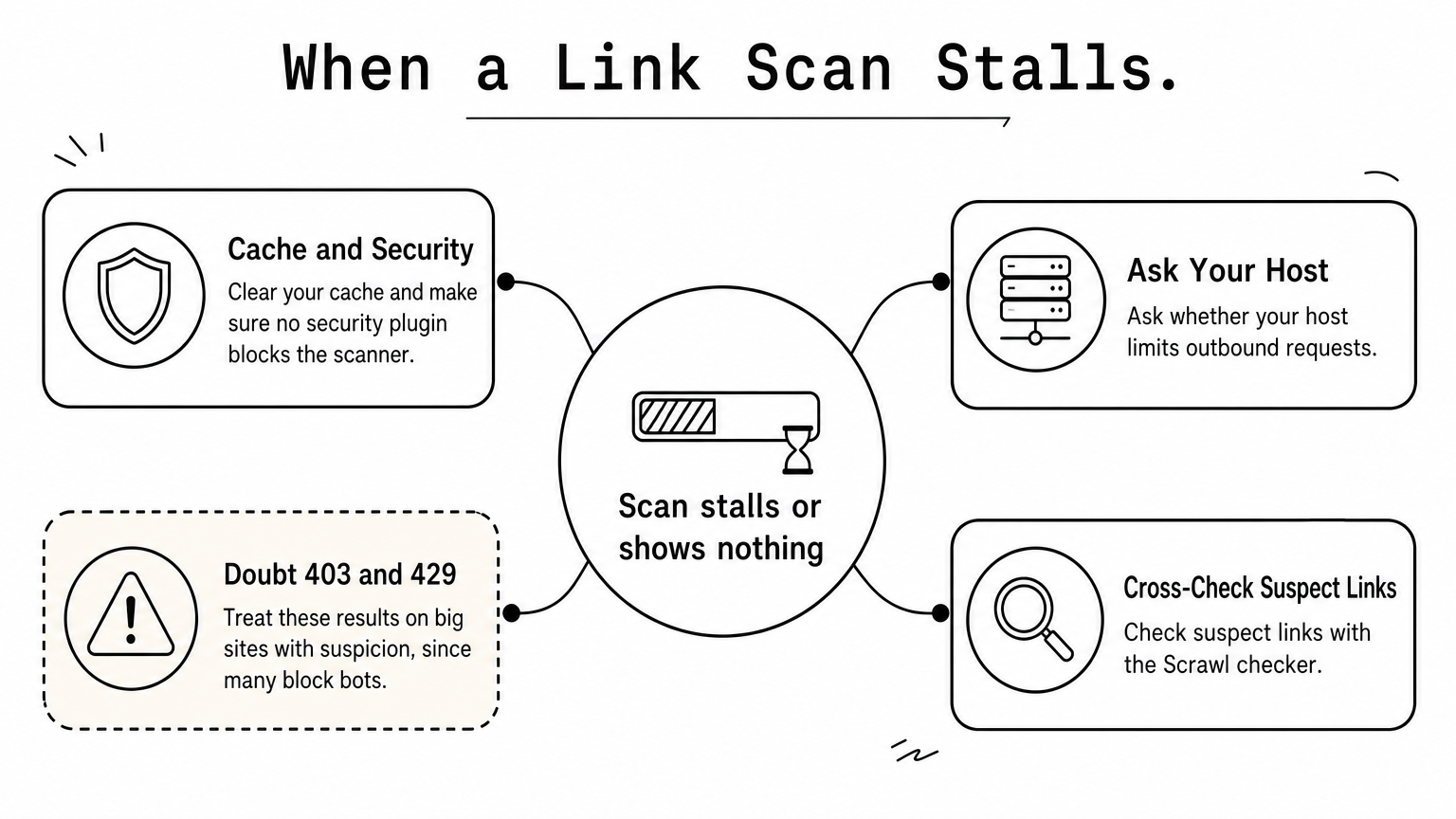
- Clear your cache and check that a security plugin is not blocking the scanner.
- Ask your host whether outbound requests are limited.
- Treat 403 or 429 results on big sites with suspicion, since many sites block bots on links that load fine in a browser.
- Cross-check suspect links with the Scrawl checker.
3. Broken Link Checker by AIOSEO
AIOSEO's version lives inside your WordPress dashboard and finds broken links, broken images and dead video links, then fixes them in place.
How it works
You work from one screen in wp-admin. The plugin lists the problem, and you change the URL right there instead of opening the editor. That in-place fixing saves the most time when you have dozens of dead links to clean up.
Who it suits
It suits sites that already run All in One SEO, since the link report sits next to your other SEO settings. It also suits owners who want video and image checks as well as text links.
The less you have to open the editor to fix a link, the more likely you are to fix it.
Limits to know
It is another plugin on your site, so keep an eye on speed and updates. Before you rely on it, read the plugin page to see which features come with the free version and which sit behind a paid plan.
4. Broken Link Checker for Chrome
The Chrome Web Store extension finds broken (404) and redirected (301, 307, 308) links on the page you have open, including links inside frames.
How it works
Open any page, run the extension, and it marks each link that fails or redirects. Nothing touches your server and nothing needs installing in WordPress, so a hosting limit cannot make it fail.
Who it suits
It suits editors who want a quick pass before hitting publish, and consultants checking a client's page without admin access. Because it works on any public page, you can also use it to find dead links on a page where you want a backlink.
An extension answers one question fast: is this page I'm looking at clean?
Limits to know
It checks one page at a time and fixes nothing. There is no history and no schedule, and it only runs in Chrome. Extensions ask for browser permissions, so read them before you install.
5. BrokenLinkCheck.com
BrokenLinkCheck.com is a free online dead link checker for any website. It needs no sign-up and no download.
How it works
Enter your domain and the service crawls from outside your WordPress install, then reports the dead links it found. That makes it a useful whole-site check when you want a second opinion on what a plugin reports.
Who it suits
It suits owners who want a full sweep without installing anything, and agencies auditing a new client's site on day one. It also suits anyone whose host has made plugin scans unreliable.
When a plugin scan fails or stalls, an outside crawl tells you whether the links are really broken.
Limits to know
The site says advanced services are available, so expect the free tier to be the basic one. Large sites take longer. It will not fix a link for you, so you still edit each one in WordPress.
Which checker to start with
Start with the free, no-install option. Run your most important pages through Scrawl's checker, fix the 404s, and update redirected links. Then install one plugin for ongoing monitoring if your site is large, and keep an outside scanner for the occasional second opinion. One plugin is enough. Running two at once only doubles the server load.
If you want to check a page right now, run your page through Scrawl's free Broken Link Checker. It takes seconds, needs no account, and exports a CSV you can work from.